
In today’s digital age, the demand for powerful and versatile creative tools has never been higher.
Whether you’re a professional photographer, a social media influencer, or simply someone who enjoys editing photos and videos, having access to the right tools can make all the difference in bringing your creative vision to life.
Among the numerous editing platforms available, Picsart stands out as a comprehensive and user-friendly option, offering a wide range of features for both photo and video editing.
Picsart has established itself as a go-to platform for millions of users worldwide, thanks to its intuitive interface, robust editing capabilities, and an extensive library of creative assets. Whether you’re looking to enhance your photos with stunning filters, create eye-catching videos, or experiment with AI-powered effects, Picsart has something to offer for everyone.
In this review, we’ll dive deep into what makes Picsart such a popular choice, exploring its key features, user experience, pricing, and how it stacks up against other editing tools. By the end of this review, you’ll have a clear understanding of whether Picsart is the right tool for your creative needs.
Picsart Summary
Picsart is a versatile and powerful creative platform designed to meet the needs of both amateur and professional editors.
Table of Contents
ToggleLaunched in 2011, Picsart quickly gained popularity due to its user-friendly interface and extensive feature set, making it one of the most downloaded apps in the photo and video editing category.
With over 150 million monthly active users and a presence in more than 180 countries, Picsart has grown into a global community where creativity knows no bounds.
Pros & Cons
Pros:
- Extensive Editing Capabilities: Offers a wide range of powerful tools for both photo and video editing.
- Creative Remixing: Allows users to remix photos and incorporate drawing elements for unique creations.
- Vibrant Artist Community: Connects users with a lively community of fellow creatives, fostering inspiration and collaboration.
- Collage-Making Tool: Features a versatile collage creator for combining multiple images into cohesive designs.
- Customizable Filters and Magic Effects: Provides a variety of filters and magic effects that can be tailored to fit your creative vision.
- Advanced Drawing Tools: Includes a rich set of drawing features for users who want to add their own artistic touch.
- Social Networking Integration: Offers a robust platform for sharing and engaging with other users’ content, enhancing the social experience.
Cons:
- Complex Feature Set: The extensive range of tools and features might feel overwhelming for new users at first.
- Lack of Auto-Object Selection and Edge Detection: Missing advanced features like automatic object selection and precise edge detection, which could limit some editing tasks.
Features
Picsart offers an impressive suite of AI-powered tools, making it one of the most versatile creative platforms on the market today.
With capabilities ranging from photo editing to GIF creation, and video editing to AI-generated imagery, Picsart’s AI tools are designed to meet the needs of creatives across various fields.
Available on both web and mobile platforms, Picsart ensures that you can bring your creative projects to life wherever you are. Let’s dive into the key AI features that make Picsart a valuable addition to any creative toolkit.
AI Photo Editing
At the core of Picsart’s AI capabilities is its image editing suite, which provides powerful tools for enhancing and transforming photos with ease.
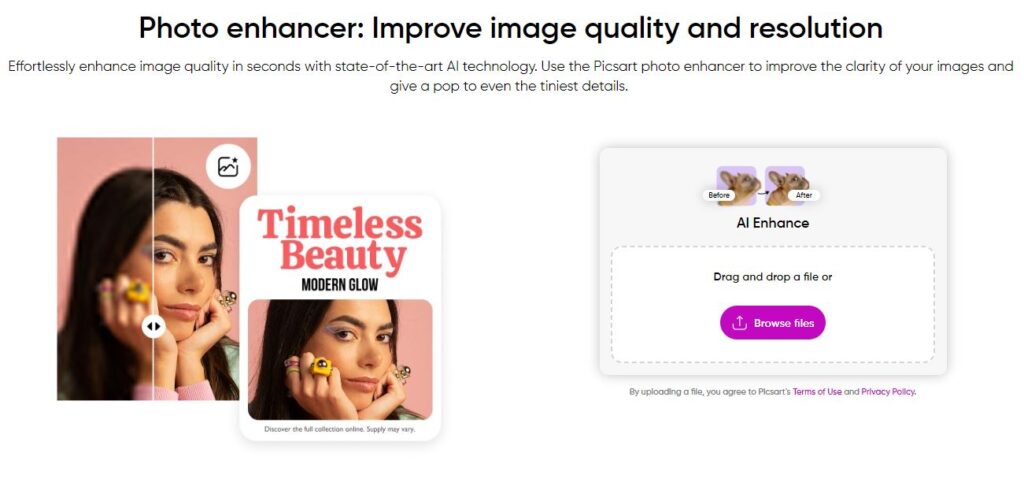
AI Enhance:
This feature allows users to sharpen images, reduce noise, and upscale photos by up to two times their original size. Tasks that would typically require meticulous manual adjustments are now streamlined, enabling users to quickly turn grainy, low-resolution photos into crisp, high-quality images.
AI Replace:
The AI Replace tool offers a unique way to modify specific sections of an image. With this tool, users can select an area within a photo and replace it with a completely different element, simply by using a text prompt. This feature opens up endless creative possibilities, from changing backgrounds to altering specific details within an image.

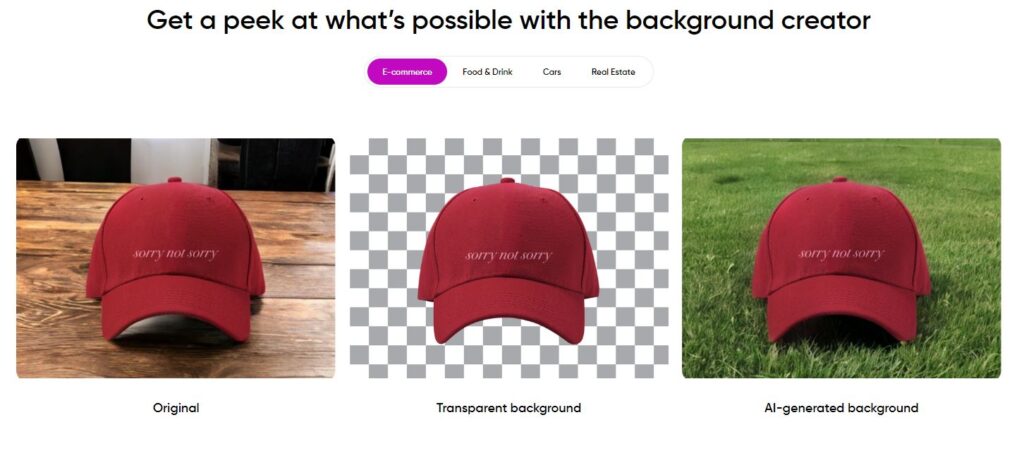
AI Background Generator:
This tool allows users to create custom backgrounds for their photos using just a text prompt. Whether you’re designing a backdrop for product photography or crafting an engaging scene for social media, the AI Background Generator helps you generate unique, eye-catching backgrounds effortlessly.
AI Style Transfer
The AI Style Transfer feature leverages artificial intelligence to apply the style of one image to another. This is particularly useful for batch editing, where consistent styling across multiple images is required. With Picsart, users can quickly apply a cohesive look to a series of images, making it an ideal tool for projects such as product photography or creative campaigns.

AI Avatar Generator
For those looking to create custom avatars, Picsart’s AI Avatar Generator is a fantastic tool. Available on both iPhone and Android, this feature allows users to generate personalized avatars by uploading 10-30 images of themselves or their pets. With a selection of up to 10 different styles, creating a unique online persona for social media or forums is quick and easy.

AI Image Generator
Picsart’s AI Image Generator allows users to create artwork by simply describing what they want. While it may not excel at producing hyper-realistic renders, it performs well in generating animals, landscapes, and various artistic styles. This feature is perfect for users looking to explore creative ideas and generate unique visuals with minimal effort.

AI Writing Assistant
Picsart’s AI Writing Assistant is a handy tool for crafting headlines and captions for social media posts. By entering a brief description of the desired message, users can quickly generate compelling text that aligns with their creative vision, making content creation more efficient.
AI Video Generator
The AI Video Generator in Picsart is a useful tool for creating quick video clips, particularly for social media platforms like Instagram and Facebook. While it may not match the sophistication of dedicated video creation tools, it’s perfect for generating short, engaging videos on the fly. After generating videos, users can enhance them further with AI-powered video filters, adding stylistic flair with presets inspired by artists like Van Gogh, or customized effects based on descriptive prompts.
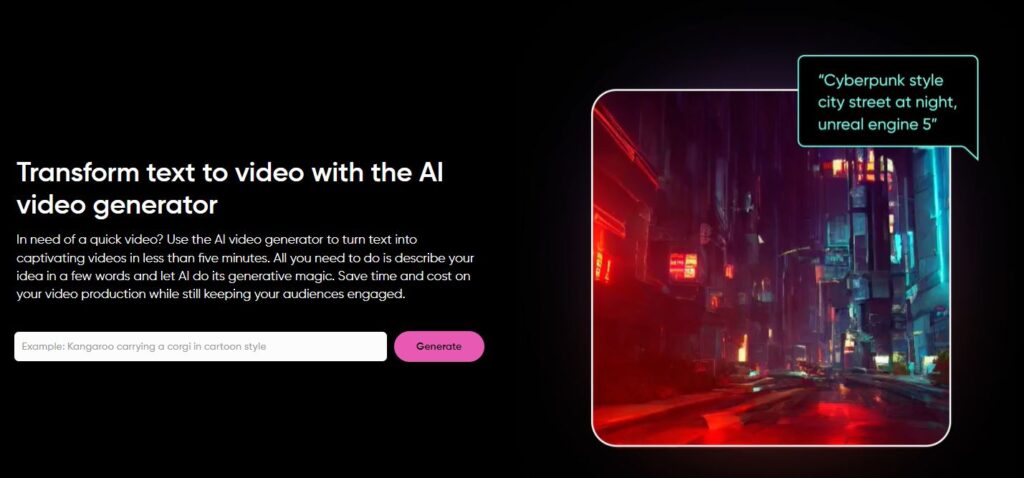
AI Gif Generator
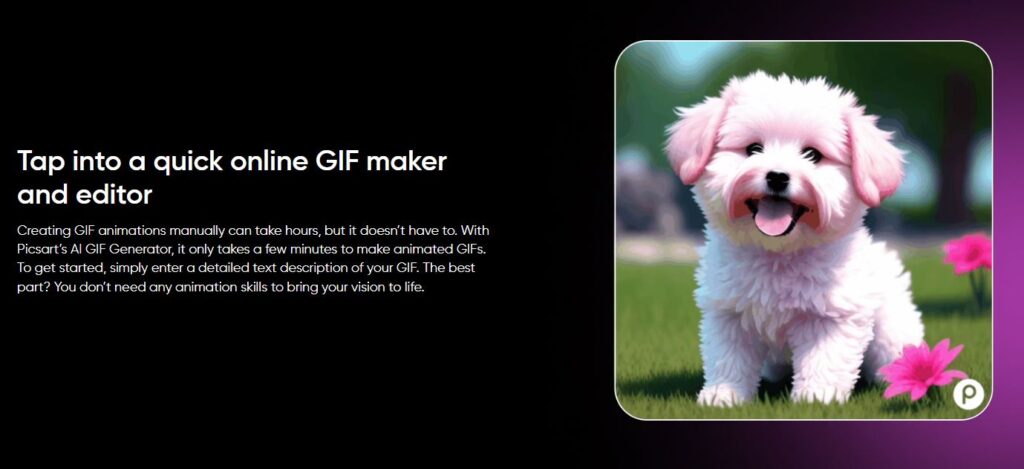
For those interested in creating animated content, Picsart’s AI Gif Generator is an excellent choice. By describing the desired GIF with a brief text prompt, users can generate dynamic animations. Additional tools within Picsart allow for the integration of text, stickers, and other design elements, making it easy to create standout memes and GIFs.
AI Logo Generator
Starting a new business or freelance venture? Picsart’s AI Logo Generator can help you create a professional logo that represents your brand effectively. With a simple text prompt, you can generate a logo and refine it using various effects and filters until it perfectly aligns with your brand’s identity.

User Experience
One of the key factors that contribute to Picsart’s popularity is its user experience.
Picsart has managed to strike a balance between offering powerful editing tools and maintaining an intuitive, user-friendly interface that appeals to both beginners and experienced editors.
In this section, we’ll explore the different aspects of the user experience on Picsart.
Interface Design and Usability
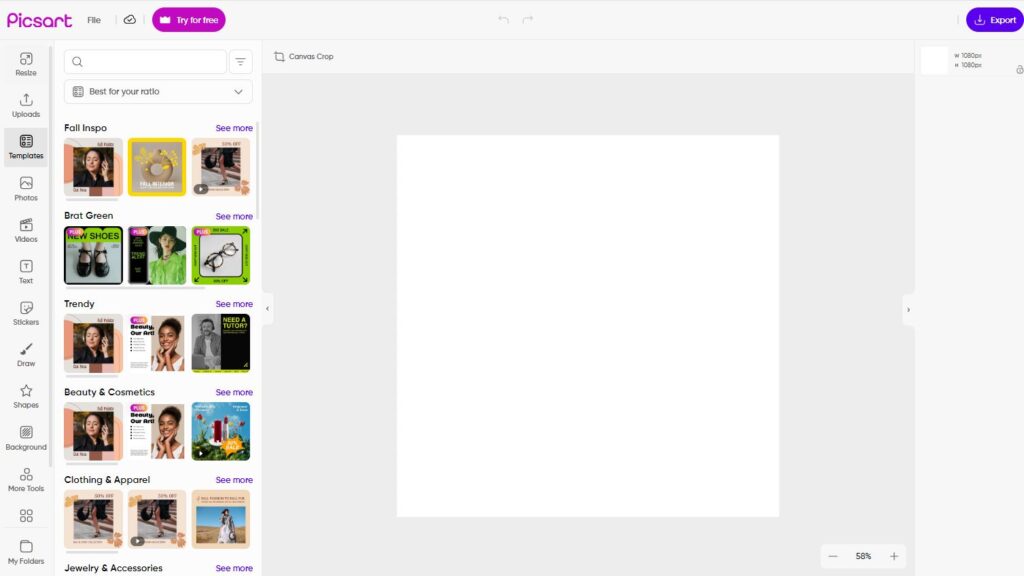
Picsart’s interface is designed with simplicity in mind, making it easy for users to navigate through its extensive features.
The main editing tools are neatly organized and accessible with just a few taps or clicks, allowing users to find what they need without feeling overwhelmed.
The design is visually appealing, with a modern, clean aesthetic that enhances the overall user experience.
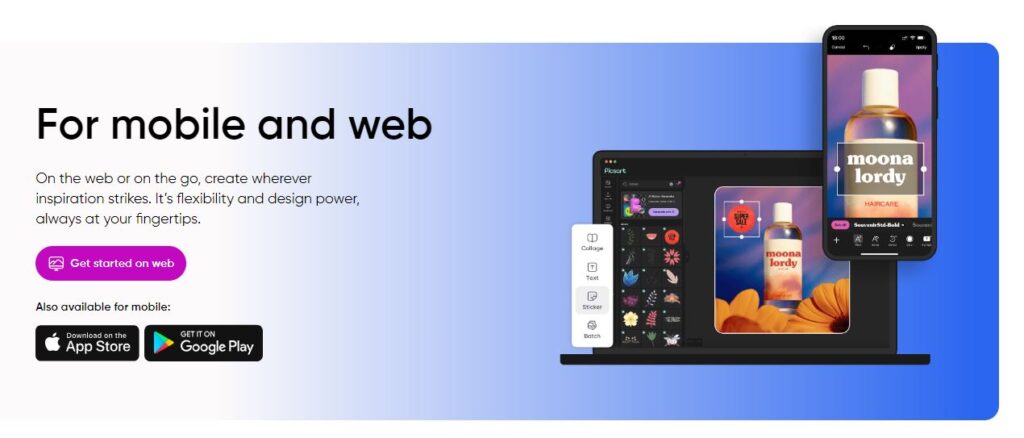
Mobile Interface: On mobile devices, Picsart’s interface is optimized for touch, making it easy to apply edits and adjust settings with a swipe or tap. The mobile version is particularly well-suited for quick edits on the go, with streamlined access to the most commonly used tools.
Desktop Interface: The web version of Picsart offers a more spacious layout, which is ideal for more detailed editing work. The desktop interface retains the simplicity of the mobile version while providing additional space for tools and features, making it easier to manage complex projects.
Learning Curve and Accessibility
One of the strengths of Picsart is its accessibility to users of all skill levels. While the platform offers a comprehensive set of tools, it is designed in such a way that even beginners can start editing photos and videos with little to no learning curve.
The platform provides various tutorials, tips, and how-to guides, which are readily available to help users get the most out of their editing experience.
Beginners: For new users, Picsart provides guided tutorials that walk through the basics of photo and video editing. These tutorials are easy to follow and cover a wide range of topics, from simple edits to more advanced techniques.
Experienced Users: For those who are more familiar with editing, Picsart offers advanced tools and features that allow for greater control and creativity. The platform’s flexibility ensures that users can dive deeper into their projects, experimenting with different effects and techniques to achieve their desired outcome.
Mobile vs. Desktop Experience
Picsart provides a consistent experience across both mobile and desktop platforms, but each has its unique strengths.
Mobile Experience: The mobile app is perfect for quick edits and social media content creation. It’s optimized for touch interaction, making it easy to apply filters, adjust settings, and share content directly from your device. The mobile experience is ideal for users who need to edit on the go or prefer working from their smartphones or tablets.
Desktop Experience: The desktop version of Picsart offers a more robust editing environment, suitable for more detailed and complex projects. The additional screen space and the use of a mouse and keyboard provide greater precision and control, making it the preferred choice for users working on professional-grade projects or those who require more advanced editing tools.
Pros and Cons
Pros:
- Extensive Editing Capabilities: Offers a wide range of powerful tools for both photo and video editing.
- Creative Remixing: Allows users to remix photos and incorporate drawing elements for unique creations.
- Vibrant Artist Community: Connects users with a lively community of fellow creatives, fostering inspiration and collaboration.
- Collage-Making Tool: Features a versatile collage creator for combining multiple images into cohesive designs.
- Customizable Filters and Magic Effects: Provides a variety of filters and magic effects that can be tailored to fit your creative vision.
- Advanced Drawing Tools: Includes a rich set of drawing features for users who want to add their own artistic touch.
- Social Networking Integration: Offers a robust platform for sharing and engaging with other users’ content, enhancing the social experience.
Cons:
- Complex Feature Set: The extensive range of tools and features might feel overwhelming for new users at first.
- Lack of Auto-Object Selection and Edge Detection: Missing advanced features like automatic object selection and precise edge detection, which could limit some editing tasks.
Pricing
When it comes to creative tools, cost is often a significant consideration for users. Picsart offers a range of pricing options to cater to different needs, from casual users to professional creators.
In this section, we’ll break down the various subscription plans available on Picsart and evaluate the value they offer.
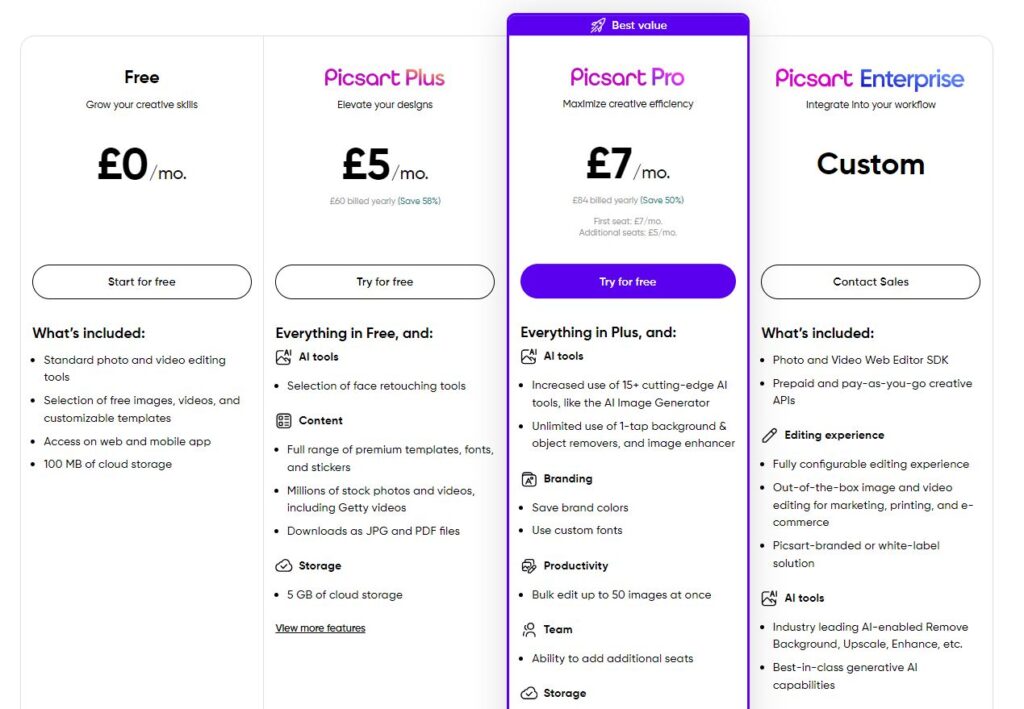
Picsart provides a comprehensive array of standard photo and video editing tools along with nearly a dozen AI-powered features to enhance your creative projects. Users can choose from three different plans: Free, Plus, and Pro.
The Free plan offers unlimited access to the basic photo and video editing tools, as well as a selection of free images, videos, and templates. Additionally, you can explore some of the AI tools on a limited basis.
For those looking to expand their creative toolkit, the Plus plan is available. Priced at $5 per month, it unlocks a broader range of image and video assets, access to mobile and web-based tools, and full use of hundreds of premium templates. However, the Plus plan does not include access to the AI tools.
To unlock the full potential of Picsart’s AI capabilities, you can opt for the Pro plan. At $7 per month, the Pro plan offers everything included in the other plans, along with unlimited access to the complete suite of AI tools, providing you with the most advanced features Picsart has to offer.
Picsart Review Final Thoughts
Picsart has established itself as a powerful and versatile tool in the world of digital content creation.
Whether you’re a casual user looking to enhance your photos with a few quick edits or a professional creator seeking a comprehensive editing suite, Picsart offers a wide array of features to meet your needs.
With its intuitive interface, extensive library of creative assets, and innovative AI-powered tools, Picsart provides users with the ability to create high-quality, professional-looking content across both photos and videos.
The platform’s cross-platform availability makes it accessible to users on the go, while its active community offers endless inspiration and opportunities for collaboration.
However, it’s important to note that while Picsart’s free version is robust, many of its most advanced features are locked behind a premium subscription.
For those who require these features, the Picsart Gold plan offers excellent value, but casual users might find the free version sufficient for their needs.
In comparison to other tools like Canva, Adobe Spark, and Snapseed, Picsart stands out for its creative flexibility and the depth of its editing capabilities.
While it may not offer the same level of professional-grade tools as some other platforms, it strikes a balance between power and ease of use, making it an excellent choice for a wide range of users.